TV Cast Ultimate |
How to Cast to VIDAA and VEWD TVs from Your Phone
Install Video & TV Cast for VEWD & Vidaa TVs on your Android phone or tablet, and open the free TV Cast app from the VIDAA or VEWD App Store on your TV. With the phone and TV on the same Wi-Fi, tap the cast icon and pick your TV. Then open a website in the app, play the video and tap the video link below the browser.
It works with Smart TVs based on VIDAA or with the VEWD App Store, for example from Hisense, Toshiba, Telefunken and JVC. The app is available for Android only. Not sure which app fits your TV? Check your TV.
1. Connect
Open the free TV Cast app on your TV. Put your phone on the same Wi-Fi, tap the cast icon in the app and pick your TV.
2. Open Website
Open a website in the built-in browser of the app, for example YouTube, and start the video.
3. Tap to Cast
Tap the video link below the browser. The video now plays on your TV and your phone stays free.
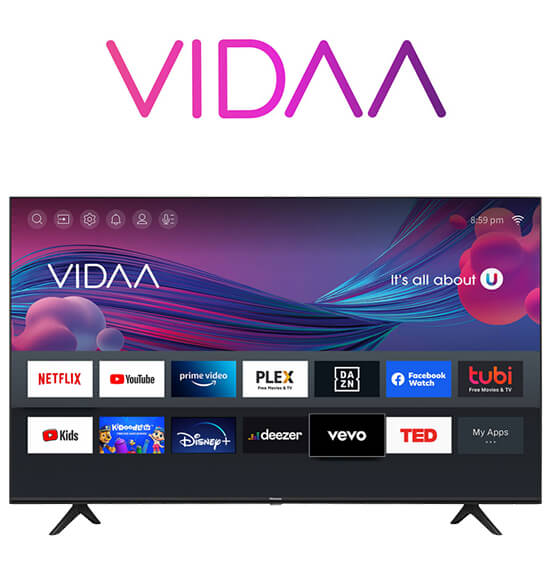
Vidaa Smart TV explained
VIDAA is the newest Smart TV operating system developed by Hisense, a Chinese electronics manufacturer. It is designed specifically for Hisense Smart TVs and provides a user-friendly interface for accessing various apps and content. VIDAA offers a customizable home screen, allowing users to personalize their TV experience. It supports popular streaming services, such as Netflix and YouTube and offers additional features like an App Store and voice control.
One of the notable features of VIDAA is its ability to adapt to the user's viewing habits and preferences. The system learns from the user's behavior and recommends content based on their interests. It also supports voice control functionality, allowing users to control their TV using voice commands.
It's important to note that VIDAA is specifically developed for Hisense TVs and may not be available on other television brands. The interface, features, and app availability may vary depending on the specific model and region where the TV is sold.
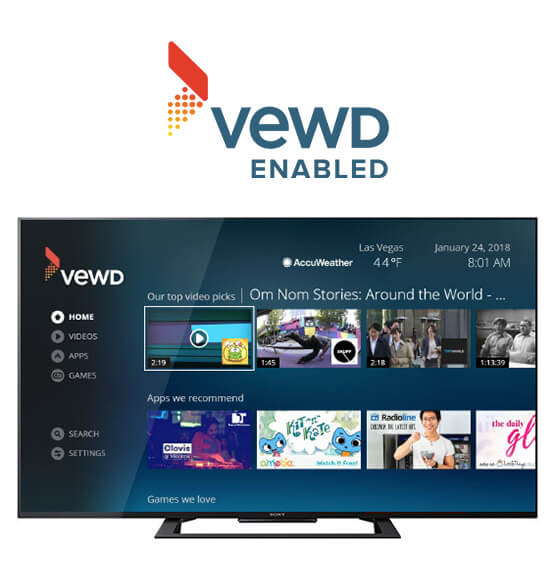
VEWD Smart TV explained
VEWD, formerly known as Opera TV Store, is a cloud-based platform that provides an app store for Smart TVs. It is developed by Vewd Software, a company that specializes in enabling OTT (Over-The-Top) services on connected devices. Vewd has been acquired by the company EXPERI in 2022.
The VEWD platform is used by multiple manufacturers as a pre-installed operating system on Smart TVs, Blu-ray players and other media devices. Examples are Hisense, Sharp, TiVo, Skyworth, Vestel, Samsung and Sony. An important feature is the pre-installed VEWD App Store which offers a range of apps and streaming services.
It's important to note that VEWD refers to a Smart TV platform and also an app store. It may be used in conjunction with different Smart TV operating systems. The user interface and features of VEWD may vary depending on the TV brand and model that incorporates it.
Supported TVs
Video & TV cast works with a wide range of Smart TVs based on Vidaa and VEWD, including TVs and Media Devices made by the following manufacturers.
- HISENSE
- SONY
- SAMSUNG
- TCL
- PANASONIC
- TOSHIBA
- POLAROID
- JVC
- VIZIO
- TIVO
- SKYWORTH
- KONKA
- HITACHI
- TELEFUNKEN
- LINSAR
- TECHNICA
- SWISSCOM
- LOEWE
- DIGIHOME
- TECHNISAT
- CELCUS
- VESTEL
- FINLUX
- LUXOR
- SEC
- BUSH
- X-VISION
- WALKER
- LAURUS
- REGAL
- PROCASTER
- FAVORIT
VIDAA and VEWD Casting Questions
Which TVs work?
Smart TVs based on VIDAA or with the VEWD App Store. Many brands use them, for example Hisense, Toshiba, Telefunken and JVC. The list above shows more brands.
Do I need an app on my TV?
Yes, the free TV Cast app from the VIDAA or VEWD App Store on your TV. Open it before you connect.
Is there an iPhone version?
No. Video & TV Cast for VEWD & Vidaa TVs is available for Android phones and tablets on Google Play. On an iPhone, check your TV to see if another edition fits.
Why does the app not find my TV?
Open the TV Cast app on the TV and check that your phone and the TV are on the same Wi-Fi. If the TV still does not show up, the app shows an IP address. Enter it in the TV Cast app on your TV with the number keys of your remote.
The app says the connection is blocked. What do I do?
Another version of Video & TV Cast is running on your phone. Close it and restart this app. If that does not help, restart your phone.
Why is there no video link below the browser?
Start the video in the browser first. Some websites only load the video file when it plays. Then the video link shows up and you can tap it to cast.
Can I cast Netflix, Prime Video or Disney+?
No. These services protect their videos with DRM, so no casting app can send them. Use the Netflix, Prime Video or Disney+ app on your TV instead.
Can I cast my own videos and photos?
Yes. Video & TV Cast also sends videos and photos from your phone or tablet to the TV. The free version casts some of your own media, Premium makes it unlimited.
Can I use my phone while the video plays?
Yes. The TV plays the video itself, so you can use other apps. The battery also lasts longer than with screen mirroring.
Is Video & TV Cast for VEWD & Vidaa TVs free?
The app is free to download and shows ads. Premium features like the Ad-Blocker and unlimited own media are one-time purchases. There is no subscription.
App Editions
If you have a different Smart TV or streaming player, please switch to the TV Cast App Edition tailored for your device. Not sure which one fits? Check your TV in 2 clicks. Or try the new TV Remote App to control your TV with your phone or tablet while casting.