TV Cast Ultimate |




How to Cast to Chromecast from Your Phone
Install Video & TV Cast for Chromecast on your iPhone, iPad or Android phone. With the phone and Chromecast on the same Wi-Fi, tap the cast icon and pick your Chromecast. Then open any website in the app, play the video and tap the video link below the browser. This also works on websites without a cast button.
It works with every Chromecast made by Google. For a TV with Chromecast built-in, use Video & TV Cast for Google Cast. Not sure? Check your TV.
1. Connect
Put your phone and Chromecast on the same Wi-Fi. Tap the cast icon in the app and pick your Chromecast. Nothing needs to be installed on the Chromecast.
2. Open Website
Open a website in the built-in browser of the app, for example YouTube, and start the video.
3. Tap to Cast
Tap the video link below the browser. The video now plays on your TV and your phone stays free.
Chromecast explained
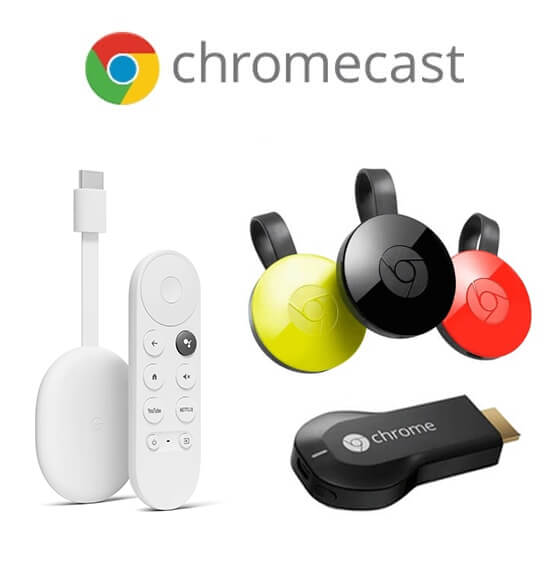
Chromecast is a digital media player developed by Google. It is a small device that connects to your television or display through the HDMI port, allowing you to stream content from various sources directly to your TV.
The Chromecast works by receiving media from your smartphone, tablet, or computer and then streaming it to your TV. It uses your home Wi-Fi network to establish a connection between the casting device and the Chromecast device. This way, you can easily play online videos, movies, TV shows, music, and even display photos on your television.
To use Chromecast, you simply need to plug the device into your TV's HDMI port and set it up through the Google Home app or the Google Chrome browser on your computer.
It's important to note that there are different generations and models of Chromecast, including the original Chromecast, Chromecast Ultra (supports 4K and HDR content), and Chromecast with Google TV.
Chromecast Casting Questions
Which Chromecast devices work?
Every Chromecast made by Google, including Chromecast with Google TV. For a TV with Chromecast built-in, for example a Sony, TCL or Hisense TV with Google TV, use Video & TV Cast for Google Cast.
Do I need to install anything on the Chromecast?
No. The Chromecast plays the video itself. A new Chromecast must be set up once with the Google Home app.
Can I cast from iPhone and Android?
Yes. Video & TV Cast for Chromecast is available for iPhone and iPad on the App Store and for Android phones and tablets on Google Play.
Why does the app not find my Chromecast?
Make sure the Chromecast is on and on the same Wi-Fi as your phone. Finding it can take a few minutes. If it still does not show up, restart the app, then restart your phone, the Chromecast and the Wi-Fi router.
The app finds my Chromecast but cannot connect. What do I do?
Check that the Chromecast and your phone both have a strong Wi-Fi signal. If your Chromecast has a Settings menu, open System > Cast (on some models Device Preferences > Chromecast built-in) and set "Let others control your cast media" to Always.
Why not use the cast button in Chrome or YouTube?
Many websites have no cast button, and casting a Chrome tab mirrors the whole tab. Video & TV Cast finds the video on most websites and sends only the video, so your phone stays free.
Can I cast from my PC or Mac?
Video & TV Cast runs on iPhone, iPad and Android. On a computer, use the cast feature that is built into the Chrome browser.
Can I cast Netflix, Prime Video or Disney+?
No. These services protect their videos with DRM, so Video & TV Cast cannot send them. Use the cast button inside the Netflix, Prime Video or Disney+ app instead.
Can I cast my own videos and photos?
Yes. Video & TV Cast also sends videos and photos from your phone or tablet to the Chromecast. The free version casts some of your own media, Premium makes it unlimited.
Is Video & TV Cast for Chromecast free?
The app is free to download and shows ads. Premium features like the Ad-Blocker and unlimited own media are one-time purchases. There is no subscription.
App Editions
If you have a different Smart TV or streaming player, please switch to the TV Cast App Edition tailored for your device. Not sure which one fits? Check your TV in 2 clicks. Or try the new TV Remote App to control your TV with your phone or tablet while casting.