TV Cast Ultimate |


How to Cast to Fire TV from Your Phone
Install Video & TV Cast for Fire TV on your iPhone, iPad or Android phone. With the phone and Fire TV on the same Wi-Fi, tap the cast icon and pick your Fire TV. Then open a website in the app, play the video and tap the video link below the browser.
It works with all Fire TV devices: Fire TV Sticks, Fire TV Cubes, soundbars and TVs with Fire TV built-in, also from TCL, Hisense and other brands. Not sure which app fits your TV? Check your TV.
1. Connect
Put your phone and Fire TV on the same Wi-Fi. Tap the cast icon in the app and pick your Fire TV.
2. Open Website
Open a website in the built-in browser of the app, for example YouTube, and start the video.
3. Tap to Cast
Tap the video link below the browser. The video now plays on your Fire TV and your phone stays free.
Fire TV explained
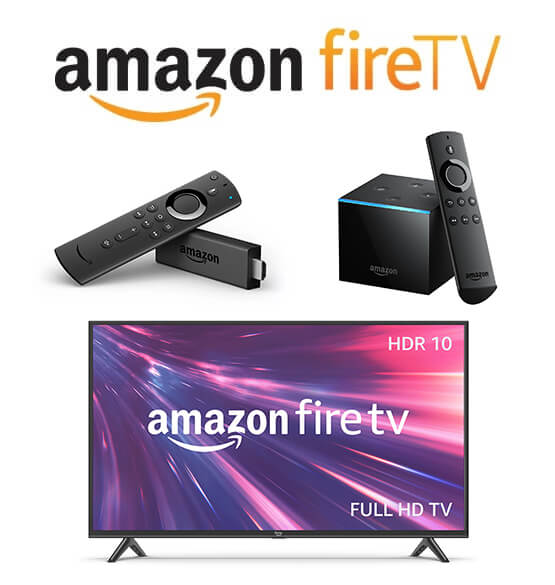
Fire TV is a line of digital media players and Smart TVs developed by Amazon. It offers a range of devices and TVs that allow users to stream content, access apps and interact with their TVs in a smart manner. The most popular Fire TV devices are:
Fire TV Stick: The Fire TV Stick is a small, plug-and-play device that connects to your TV's HDMI port. It turns your regular TV into a smart TV by providing access to a wide range of streaming services, apps, and media content.
Fire TV Cube: The Cube is a more advanced device that combines a streaming media player with an Amazon Echo smart speaker and hands-free voice control capabilities.
Fire TV Edition Smart TVs: Amazon also collaborates with TV manufacturers to produce Fire TV Edition Smart TVs with the Fire TV operating system built-in. They offer the typical Fire TV features and functionalities, but without the need for an additional external device.
Fire TV devices are known for their ease of use, seamless integration with the Amazon ecosystem and compatibility with a wide range of streaming services and apps. They provide a convenient way to transform your TV into a smart entertainment hub.
Fire TV Casting Questions
Which Fire TV devices work?
All Fire TV devices: Fire TV Sticks, Fire TV Cubes, Fire TV soundbars and TVs with Fire TV built-in, for example from TCL, Hisense and other brands.
Can I cast from iPhone and Android?
Yes. Video & TV Cast for Fire TV is available for iPhone and iPad on the App Store, for Android phones and tablets on Google Play, and for Fire tablets on the Amazon Appstore.
Why does the app not find my Fire TV?
Make sure the Fire TV is on and on the same Wi-Fi as your phone. Finding it can take a few minutes. If it still does not show up, restart the app, then restart your phone, the Fire TV and the Wi-Fi router. Use the power adapter that came with your Fire TV.
The app finds my Fire TV but the video does not start. What do I do?
Install the latest Fire TV software. On the Fire TV, open Settings > My Fire TV > About (on some models Info) and install the update. Then unplug the Fire TV from power for a moment to restart it, and connect again.
I have more than one Fire TV. How do I pick the right one?
The app can connect on its own to the first Fire TV it finds. If you have more than one, turn off Autoconnect in the Fire TV settings of the app and pick the device yourself.
Why is there no video link below the browser?
Start the video in the browser first. Some websites only load the video file when it plays. Then the video link shows up and you can tap it to cast.
Can I cast Netflix, Prime Video or Disney+?
No. These services protect their videos with DRM, so no casting app can send them. Use the Netflix, Prime Video or Disney+ app on your Fire TV instead.
Can I cast my own videos and photos?
Yes. Video & TV Cast also sends videos and photos from your phone or tablet to the Fire TV. The free version casts some of your own media, Premium makes it unlimited.
Can I use my phone while the video plays?
Yes. The Fire TV plays the video itself, so you can use other apps. The battery also lasts longer than with screen mirroring.
Is Video & TV Cast for Fire TV free?
The app is free to download and shows ads. Premium features like the Ad-Blocker and unlimited own media are one-time purchases. There is no subscription.
App Editions
If you have a different Smart TV or streaming player, please switch to the TV Cast App Edition tailored for your device. Not sure which one fits? Check your TV in 2 clicks. Or try the new TV Remote App to control your TV with your phone or tablet while casting.